Step 2 of 8
Choose Import Script
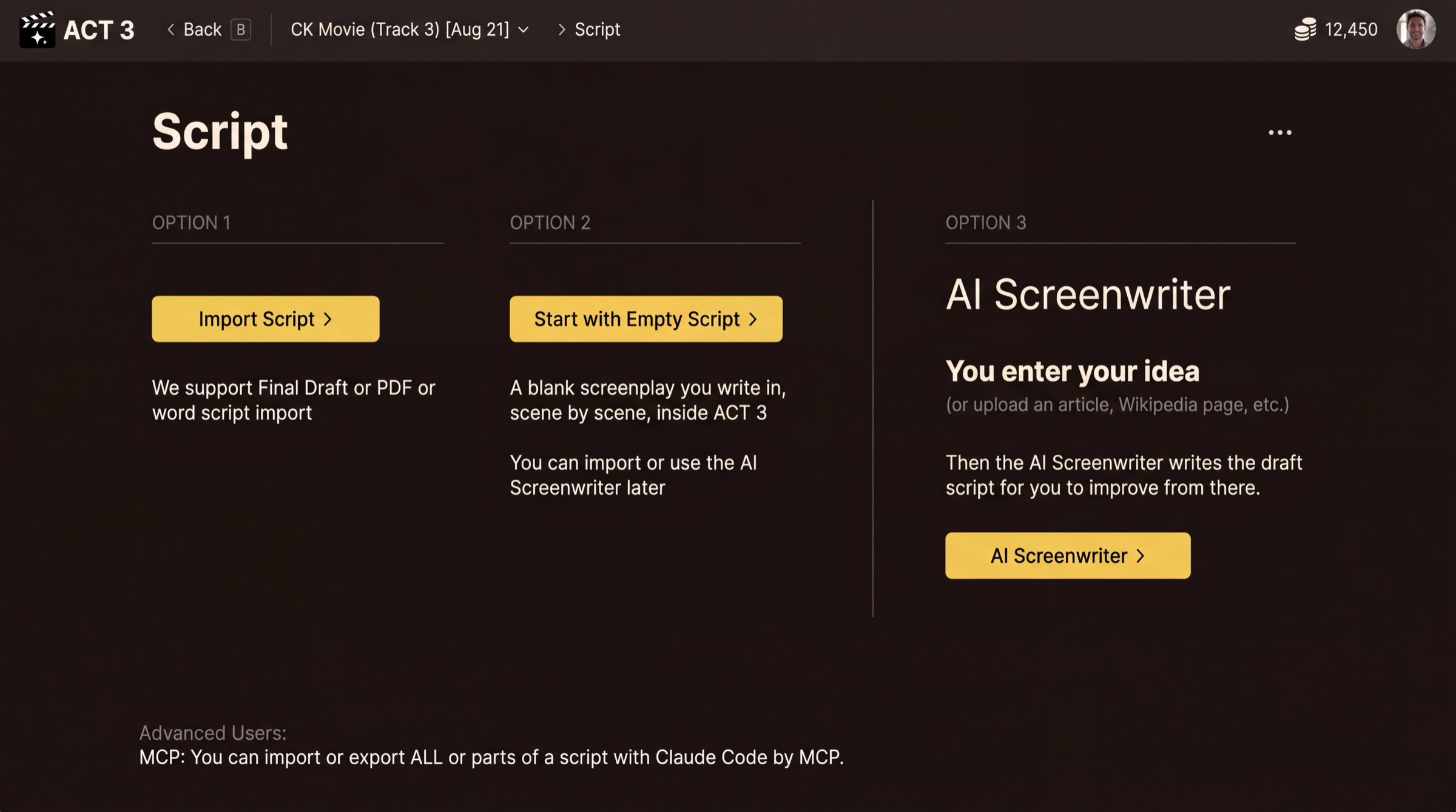
Tell ACT 3 AI where your script comes from. You have a finished screenplay, so look at Option 1. Press Import Script.
What this page is
The Script page is a fork. Each option starts a different path through the wizard:
- Option 1, Import Script ›: you have a screenplay. ACT 3 AI reads Final Draft, PDF and Word files. This guide follows this path.
- Option 2, Start with Empty Script ›: a blank screenplay you write inside ACT 3 AI. See guide #3.
- Option 3, AI Screenwriter ›: you give an idea and the AI Screenwriter writes the draft. See guide #4.
Your decision
Pick Import Script when the story is already written, even as a rough draft. The import keeps your scene headings, characters and dialogue, so the breakdown starts from your words. Keyboard: press 1.
Why you go next to Upload Script
The next page takes the file. If you pressed the wrong option, ‹ Back (or the B key) returns here.