Step 4 of 7
Open the Storyboard from the Editor
Already in the Editor? Type "Show me the storyboard" into the AI chat and click Post. Or click Storyboard on the view switch at the top right.
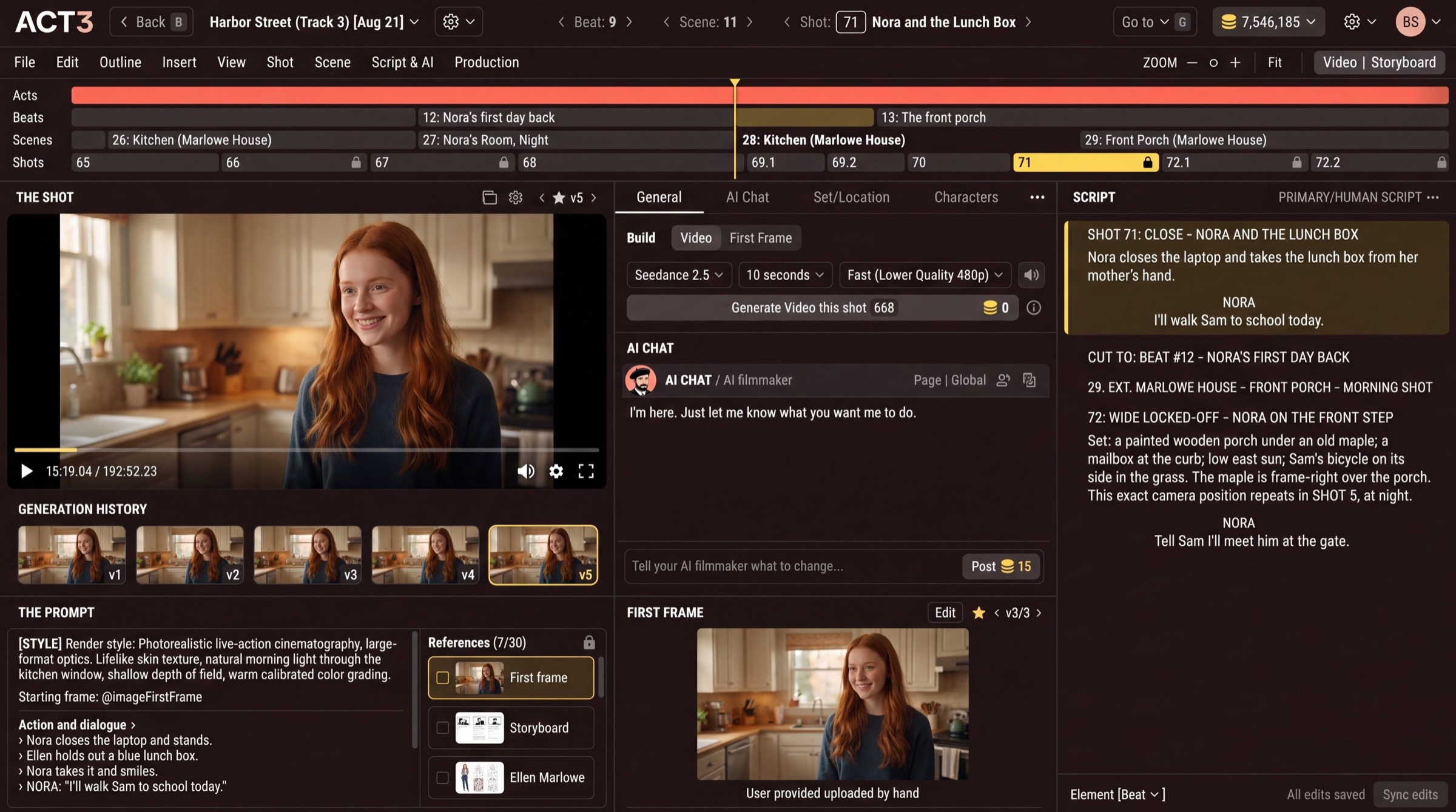
The AI chat takes plain requests. Asking for the storyboard switches the Editor to the Storyboard view.
Two more ways in
Step 1 showed View › Project Storyboard. Once your project is open in the Editor, there are two more ways to the Storyboard, any time.
- Ask the AI chat. Click the chat box under the AI chat, type "Show me the storyboard" and click Post. The chat understands plain words, so "open the storyboard" works too.
- Use the view switch. At the top right of the Editor, the switch has two sides: the Editor (video) side and Storyboard. Click Storyboard. Click the other side to come back.
If you skipped storyboards in the wizard
The Storyboard still opens. Video shots with no frame yet show "no storyboard yet" and a Generate button, and Generate all at the top draws every missing one for the price it shows. You can also ask the AI chat which shots have no storyboard yet.
Where you go next
Now that the Storyboard is open, the next step shows how to read it.